


The other day I was working on automating a complicated report in Excel for a client. After considerable planning, I decided to switch to Python for the solution. While translating the report into Python scripts, I made an interesting observation that I thought I should share:
Just because the tool COULD do the job doesn’t mean it SHOULD.
Use the best tool for the job – and don’t be afraid to learn something new. After all if you can handle advanced Excel you can learn basic… well anything!
Here is the example of what I was working on to show you the difference:
Here is the workflow for calculating the fiscal year of a specific entry using Excel formulae:
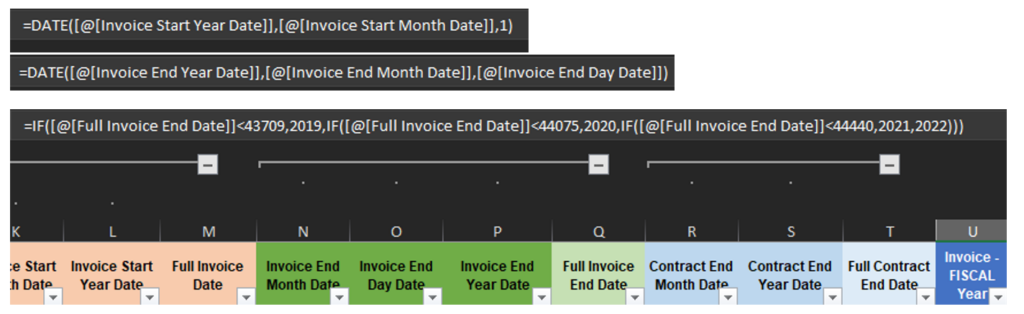
And here is the equivalent calculation but in Python:

Which one seems “Easier” ?
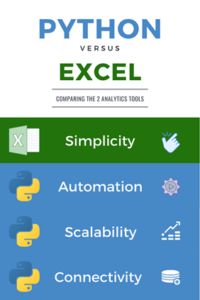
As I worked on the project, I realized people use excel because it’s what they know. It’s is a “handy tool”… to a certain point. If the project you are working on requires more complex calculations or the ability to automate certain steps, then Excel might not be the right fit for the job. A great example is if you were trying to increase data to the scale of thousands, the time that it would take for Excel to process the data for related pivot tables and calculations would sky-rocket. In tech terms, we refer to this as a lack of scalability.
As a former business/data analyst myself, I can say with certainty that I understand the challenges of using Excel on a daily basis: The long wait times when opening a huge report, the frustration when finding hidden columns and rows, the paranoia with data validations…
Most of these problems, however, can be easily eliminated with a few lines of Python codes or even by using another automation tool such as Power Automate. Nowadays I begin to see Excel from a different perspective. To me, it is an important part of a family of tools and platforms, rather than the “ultimate standard software” in the world of business. For example, Power BI is one of the best BI reporting tools with features that include interactive graphs for visualization and a cloud platform. Compared to that, the plots generated by Excel can be underwhelming to say the least.
We know that some automations can be achieved by writing macros using VBA, however compared to Python, it is less powerful in many aspects and the scripting structure is not as clean. Python also provides a vast library of packages for you to choose from so you won’t need to start from scratch. Need to do calculations at a specific date and time? Try the datetime package. Want to read/write an Excel sheet? Use the xlrd/xlwt packages. These innovative service and community support are something not currently offered by VBA.
To be clear, I have nothing against excel! In reality, it is the backbone to many operations we have today. However, with the evolution of other programs, platforms and services, the role that Excel has played has gradually shifted. It is no longer the ultimate data analysis software, and is simply another data source. To gain productivity, we need to look at the bigger picture and realize the importance of other related services to get the customization we want.
Want to read more? Check out our other blogs.
